
IT security is increasingly in focus for companies and developers. An effective method for keeping malicious software off devices is app whitelisting.
In this article we explain what it is, which apps belong on the whitelist and how implementation differs across operating systems.
What is app whitelisting?
Whitelisting in IT means only pre-approved apps or programs may run on a device or in a network. Any app not on the "white list" is blocked.
Compared to traditional antivirus, which tries to detect malicious software, whitelisting is a proactive way to secure the IT environment.
Its advantage: it drastically reduces the attack surface. Only known, vetted applications can run, which pre-empts potentially dangerous software. Whitelisting is used above all in security-critical industries such as finance and healthcare.
Application whitelisting: what does it mean?
App whitelisting simply means a fixed list of programs is allowed to run on a device (e.g. a rented tablet) or on a network. The opposite is blacklisting, where only harmful or unwanted apps are blocked.
In practice, whitelisting ensures only authorised applications are used — more control and better data security. For IT teams that means stronger control, but also some overhead as new or updated programs regularly need to be added to the list.
Whitelisting and private use of company devices
If private use of the company device is allowed — which is generally a great employee-benefit idea — whitelisting usually applies only to the business area (workspace).
In the personal area, which must be strictly separated from the business side by software (keyword: MDM), users can install any apps they like.
Whitelisting: which apps should be allowed?
The choice depends strongly on the company's needs. In general:
Business-relevant software:
All apps needed for daily work — Office, communication (Teams, Slack), industry-specific tools and of course the company's own apps.Security-certified apps:
Apps with security certifications and regular vulnerability checks should take priority.OS-critical software:
Programs necessary for smooth OS operation must be on the list.
Work closely with IT to ensure only trustworthy and necessary software is approved.
App whitelisting and enterprise app stores
App whitelisting and enterprise app stores are closely related — both aim to boost security and control in device lifecycle management.
Whitelisting creates a list of approved apps; an enterprise app store complements it as a centralised platform where only approved, vetted apps are made available.
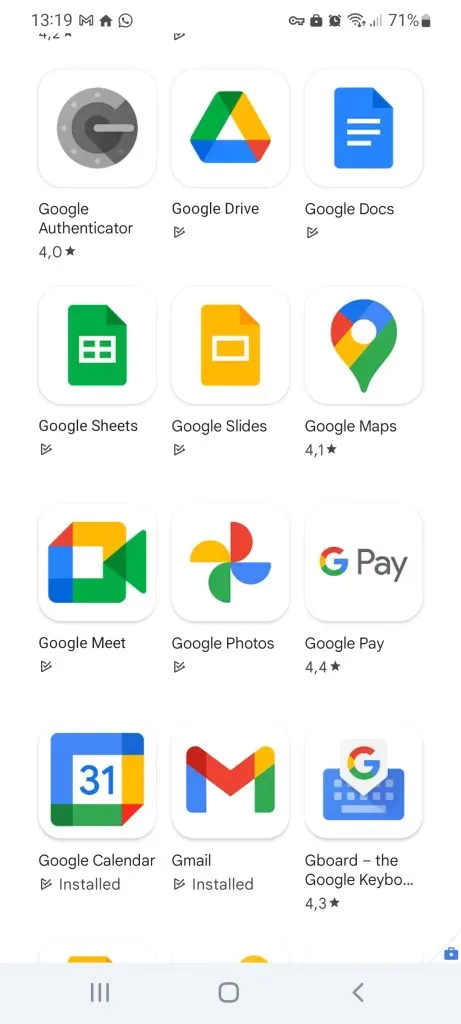
Together they give companies better control over their software environment.
Which software supports app whitelisting?
An effective option is Mobile Device Management (MDM) software. MDMs manage mobile devices centrally and let you define specific policies for app usage and approval.
MDMs are especially valuable when many devices need to be managed at a high security level. Combining device management and app whitelisting in one tool lets IT centrally control every application in use.
Are there differences between Android and iOS whitelisting?
Yes, key differences exist:
System openness: Android is open-source with more freedom to install or block apps. iOS is more tightly regulated, so only apps meeting Apple's strict guidelines are available — less need for extensive whitelisting, but tighter control by Apple.
Management tools: many tools support Android whitelisting, including Google Play Protect and third-party EMM. Apple offers Apple Business Manager and MDM as integrated tools.
Security requirements: Android's openness makes it more prone to malware, so whitelisting is more common in Android environments. On iOS the focus is often on controlling device functions and data flows.
Conclusion on app whitelisting
Whitelisting is effective for hardening IT infrastructure. For mobile devices, MDM software works best.
Choosing the right whitelisting software and adapting it to operational needs reduces the attack surface for cyber threats. Despite differences between Android and iOS, whitelisting is a valuable tool on both platforms.