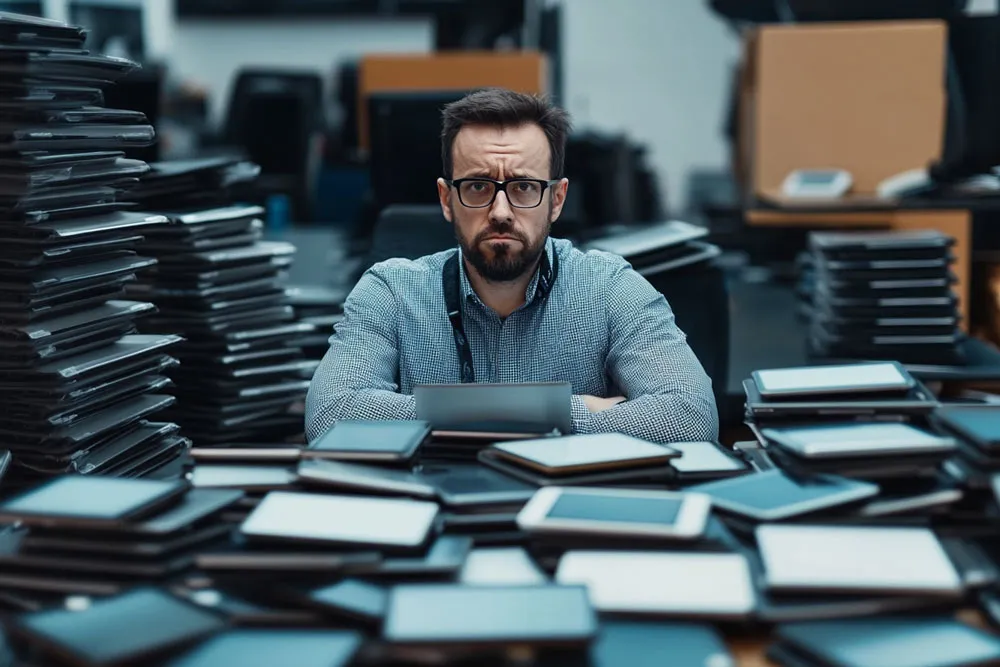
Tablets have become a fixture in many companies. They give employees flexibility and mobility, which counts for a lot as more and more work goes digital.
But the more tablets a company uses, the harder they are to manage. That is where tablet management comes in: it makes sure every device is used well, stays secure and is kept up to date.
Tablet management in the enterprise
Companies use tablets for more and more tasks, from advising customers to supporting mobile workers. They are also increasingly popular as an employee benefit: they help retain staff and raise the level of digitalisation, as our case study with Henkel shows.
For these devices to deliver on their promise, you need professional tablet management.
It comes down to:
- keeping track of every tablet in the company (inventory),
- managing them efficiently (administration), and
- making sure they meet the company's requirements (data protection, data security).
Efficient tablet management includes:
- Central management: all tablets are controlled and monitored from one place. That includes distributing software to the devices, for example through app whitelisting.
- Security policies: defining and enforcing security standards, user agreements and IT governance.
- Device maintenance: regular updates to apps and the operating system (iPadOS or Android), plus upkeep.
- Usage monitoring: tracking and analysing how devices are used, incident management when a tablet breaks or goes missing, and security measures such as remote lock or remote wipe.
Well-organised tablet management keeps every tablet working properly and company data safe.
The role of an MDM
The technical prerequisite for managing mobile devices efficiently is MDM software. Without a mobile device management (MDM) solution, companies cannot manage tablets centrally or efficiently.
An MDM platform lets you control, configure and monitor every tablet in the company. That covers installing and updating apps, setting up security policies, managing user access, and locating and locking lost devices.
With MDM, companies can make sure every tablet meets company standards, is always up to date and is protected against unauthorised access. Managing tablets becomes much simpler, and the IT department has less on its plate.
What does tablet management include?
Tablet management covers several areas. All of them aim to manage the devices efficiently while keeping them secure. The most important are:
Device management
This is about configuring, monitoring and controlling the tablets. With the right software you can manage the whole fleet from one central point. Ideally, device management covers both iPads and Android tablets.
Security management
Tablets are often used on the move, which makes them more exposed to security risks. Effective security management is therefore essential to prevent data leaks and unauthorised access, and to ensure antivirus protection on the tablets. The best approach is to include tablets in your mobile threat defense strategy.
App management
Managing the apps installed on the tablets is another key part of tablet management. You need to make sure that only approved apps are used and that they are always up to date.
Content management
For many companies it is crucial that certain content is available on the tablets. This is where mobile content management strategies help: they make it easier to deliver and manage that content.
If you'd rather not buy your tablets, read our guide to renting tablets for companies.
Device management for tablets
Device management is the core of tablet management. It covers central control and monitoring of every tablet in the company.
Device management is also a basic function of MDM solutions (see above). As a rule, an MDM can manage both tablet operating systems, iPadOS and Android. But there are also specialised Android MDMs (for example Samsung Knox Manage) and iPadOS MDMs (for example Jamf) that only handle one of them.
The right MDM also depends on what your device fleet looks like.
So choose your MDM carefully. If you need help choosing or implementing it, we're happy to support you. Our specialist unit offers managed services for MDM.
Tablets: app management and staging
App management is another important part of tablet management. Every tablet needs the right apps, and those apps need regular updates.
Staging is the process of preconfiguring tablets and making them ready to use before they are handed out to employees. It ensures that every device is set up the same way and can be used straight away.
- App management: managing and distributing apps on the tablets.
- Staging: preconfiguring tablets so they can be deployed quickly.
Specialised software such as Samsung's MDM "Knox Manage" offers these functions specifically for Samsung tablets. These tools let you manage Samsung devices particularly efficiently and use specific features such as kiosk mode or DeX support.
That said, every MDM can manage apps.
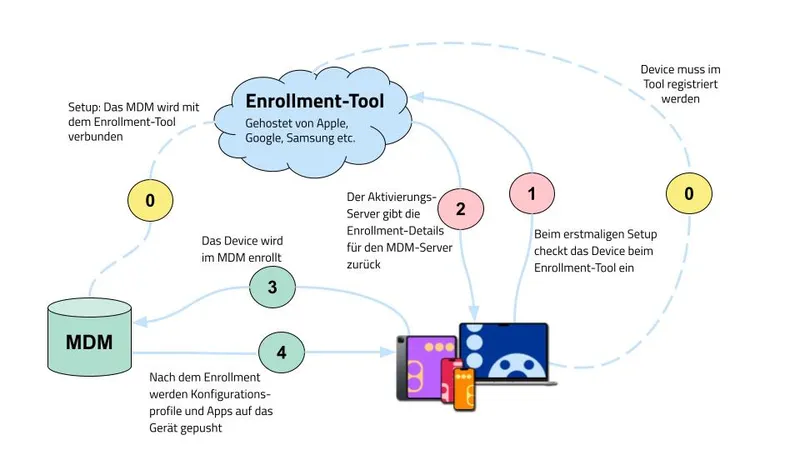
How a device is enrolled in an MDM
Tablet management with Device as a Service
An increasingly popular model for tablet management is Device as a Service (DaaS). Companies rent their tablets and get a complete management package along with the devices. The provider takes care of supplying, maintaining and managing the tablets.
Tablet as a Service
The benefits of Device as a Service for managing company tablets:
- Cost efficiency: no large upfront purchase, just a monthly rental fee.
- Up to date: always current devices and software versions.
- Full service: maintenance, support and management included.
DaaS is particularly attractive for companies that want to stay flexible and put tablet management in the hands of experts.
Tablet management with Everphone
Everphone is a provider of tablet management and Device as a Service (DaaS). Since 2016 we have offered a complete solution for managing tablets and other mobile devices in companies.
In practice, that means we take care of procurement, staging, roll-out, incident management, shipping and the return of devices when the DaaS rental ends.
Together with your IT team, we decide which devices and which apps to provide. Your employees then receive a fully set-up tablet they can start using right away.
When we handle tablet management for you, Everphone gives you:
- Flexible device choice: pick from a wide range of tablets to find the ones that best fit your needs. You can also let users choose for themselves (choose your own device).
- Central management: all tablets can be managed and monitored through one easy-to-use platform.
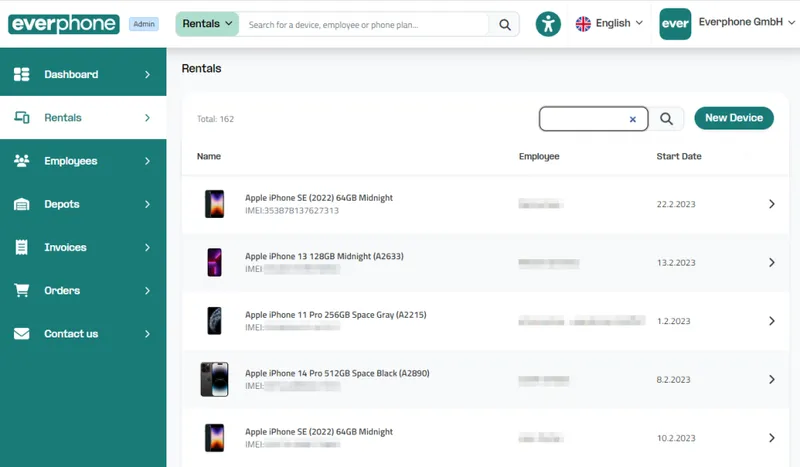
Admin view of the Everphone portal
- Full service: Everphone takes care of everything, from deployment and maintenance to secure disposal. If a tablet breaks, we replace it as quickly as possible. That is part of our service and costs you nothing extra.
Everphone offers an all-round solution that makes tablet management simpler and more efficient, especially when large numbers of tablets are involved.
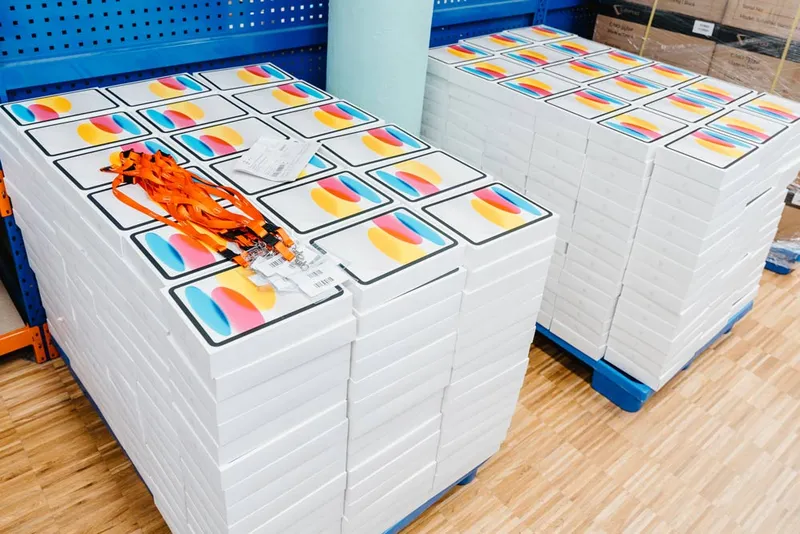
Everphone can also source, set up and roll out large numbers of tablets
Tablet management decides whether tablets succeed in your company. With the right approach, you can manage the entire tablet lifecycle well while improving security and efficiency.
Device as a Service covers exactly that, so your IT team is free to focus on more important things.