
What is WhatsApp Business?
WhatsApp Business is a free mobile app developed specifically for small businesses. Through WhatsApp Business, companies can open an additional service and communication channel for their customers.
Official website: WhatsApp Business
The functions are similar to the private WhatsApp: it is a messenger app for chats. Users can send photos and videos. Voice calls and video calls are also possible, as are group chats with up to 256 people and file sharing for files up to 100 MB in size.
WhatsApp Business was initially only available for Android; today the messenger is also available for iOS. In the Business variant a short company profile can be created.
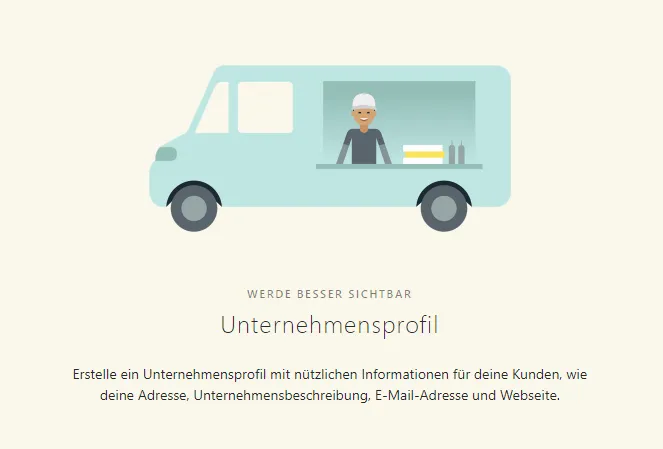
Basic information can be stored in the company profile (Screenshot: WhatsApp)
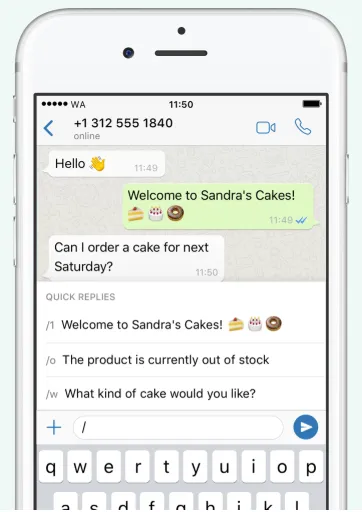
Unlike the private version, WhatsApp Business also offers tools to automate, sort and standardize responses to messages (image).
Do I need a company phone for WhatsApp Business?
In principle, the Business variant and the private WhatsApp installation can be used in parallel on one device. For WhatsApp Business you therefore do not necessarily need a separate mobile device or a dedicated company phone.
But: WhatsApp Business needs its own phone number. If a private WhatsApp account is already linked to a number, no additional Business account can be created for the same number.
Verification via landline number possible
There is a practical workaround, though: WhatsApp Business can also be used with a landline number — account verification is done via a call to that number. To use two installations, you therefore need either two mobile phone numbers, and consequently two SIM cards, or one SIM card and a linked landline number.
WhatsApp Business and data protection (GDPR)
Business owners might be tempted to simply use their private phone number for the WhatsApp Business account. That is possible — however, due to the General Data Protection Regulation (GDPR) it is more than tricky, because WhatsApp also transmits contact data to servers in the USA.
For business communication, consent must be in place. You should absolutely obtain this as an opt-in with a reference to the data protection provisions when communicating with WhatsApp Business.
Also read: WhatsApp and GDPR — where's the problem?
Cleanly separating business and private numbers
If you want to avoid problems under the GDPR, you must — in addition to an opt-in — meticulously separate the phone numbers and the associated contacts. The following options exist:
1. Company phones
You use WhatsApp Business only on a dedicated company phone that also manages business contacts only.
2. Landline number
You use WhatsApp Business in combination with a landline number.
3. Dual-SIM smartphones
You use a dual-SIM device. Users should however be aware that this raises data protection issues under the GDPR. Where appropriate it is advisable to use messenger apps that are GDPR-compliant from the outset, such as the also-free Threema Work.
Data separation via Mobile Device Management (MDM)
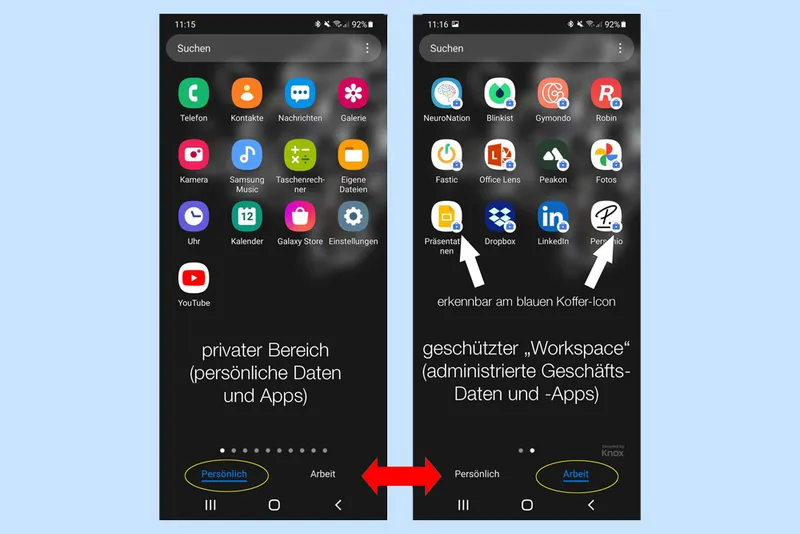
Usage is only clean from a data protection perspective if there is a separate encrypted workspace on the device.
This is normally handled by IT — especially in smaller companies or on project-based assignments, tasks around device management and IT support are sometimes organized flexibly.
Ordinary WhatsApp is normally used in the personal area, WhatsApp Business accordingly in the business area. A data protection-critical mix of the respective managed contacts is then no longer possible.
Tips from Everphone
To use WhatsApp Business cleanly as an entrepreneur, we recommend:
Use a dual-SIM device if you want to use two mobile numbers.
If you need multiple company phones, you can rent them affordably from us. (Our service is aimed less at small businesses and more at organizations with about 250 employees or more.)
Otherwise, use a landline number for WhatsApp Business.
Use either a dedicated company device or a smartphone with MDM software.
Install your private WhatsApp instance in the private area of the MDM.
Install WhatsApp Business in the business area.
Do not use your private phone number for WhatsApp Business.