
When you rent laptops for your company, you pay a monthly rate and get devices that arrive fully set up, replacement if something breaks, management and secure return. There is no purchase. Offers like this are called Workplace as a Service (WaaS) and come from providers such as Everphone.
Price alone is rarely the main argument. What matters is what no longer lands on your IT team: all the tickets needed for setting up, shipping, replacing, collecting and wiping devices.
How the costs compare with buying is covered in the TCO comparison for laptops. This article is about what comes before that: how a device rental service takes load off your organisation and how the whole process works.
The first question, of course: is it worth it for my company? Our view: for the vast majority of companies, renting is the better choice as soon as laptops come and go on a regular basis.
If all you have is a single laptop sitting in a warehouse for data entry, that is different. Buying can be the better option there. The section on when renting does not pay off shows the difference.
What a laptop rental for companies includes
In short: everything except productivity software. The monthly WaaS rate covers device procurement, setup, shipping and, if something breaks, replacement and management.
This means: employees get a ready-to-use rental laptop. If it breaks, it is replaced as quickly as possible at no additional cost. Because there are no costs, no approval is needed either. The whole swap can therefore happen without IT getting involved.
In detail:
| Service | What you get |
|---|---|
| Device and accessories | Notebooks, desktops, workstations and accessories, delivered directly to employees |
| Configuration | Devices arrive fully set up; notebooks come with Autopilot registration, staging and BIOS settings |
| Shipping | Free of charge, to the office or to an address of the employee's choice |
| Support and replacement | Employees request support or a replacement device in the Everphone portal, at no extra cost and without IT approval |
| Operations | Everphone handles procurement, staging and operations, including updates and security |
| Asset management | Included |
| Return | Everphone arranges the return directly with the employees |
| Data erasure | Data is erased before the device is reused, and you receive an erasure certificate |
Damaged devices are replaced as part of the service, and damage is covered by the rental. In case of loss, the device's current value according to the residual value table applies.
How laptop rental works: from order to return
The process has six steps. Only the first one is yours:
- Order: with up to 250 employees, you order directly in the Everphone shop. For larger companies, we recommend a consultation first to tailor the WaaS solution (that is part of our sales process). If you want to trigger orders from your ITSM or HR system, use the API.
- Everphone configures the device to your specifications.
- The device goes to the office or to the employee's chosen address and is ready to use when unpacked.
- During operation, support and replacement run through the Everphone portal.
- When someone leaves the company, Everphone arranges the return directly with that person. Your IT team does not have to get involved.
- Everphone erases profiles, settings and data before the device is reused.
A scenario: Lena starts in sales on the first of the month. The Everphone API receives a corresponding signal from the HR software or the ITSM. The device is ordered for Lena, shipped fully configured to her chosen address and is ready to use when she unpacks it. Your IT team has not touched anything in between.
How the connection to the onboarding process works is described in the article on automated device provisioning during onboarding.
Portal and API work on the same data. What is ordered through the API appears in the portal, and the other way round.
Which laptops and PCs you can rent
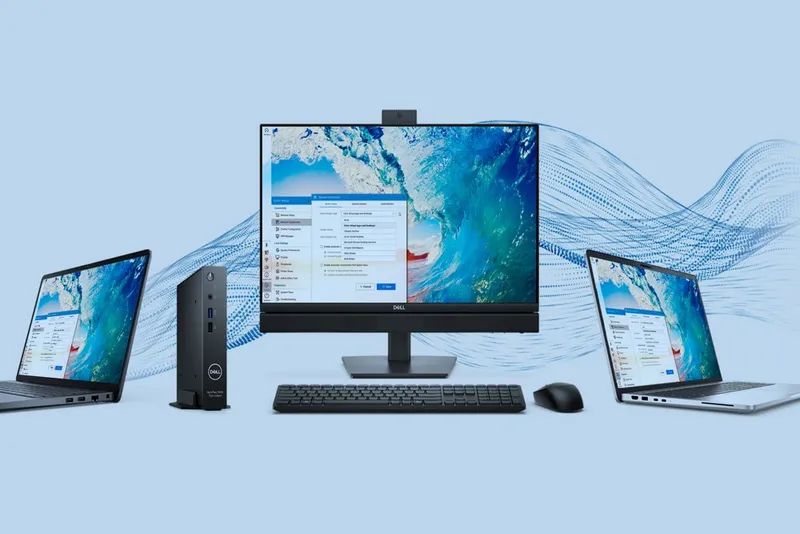
With rental, you are not tied to one manufacturer. Here is an overview of Everphone laptops. For notebooks and PCs, Apple, Dell, HP and Lenovo are available, with other manufacturers on request.
| Device type | Examples |
|---|---|
| Notebooks | Business laptops, MacBooks |
| Desktops | All-in-one, tower, small form factor, tiny and mini |
| Workstations | For compute-intensive workplaces |
| Convertibles and detachables | Laptop-tablet hybrids |
| Accessories | Depending on the workplace |
Mixed fleets are possible: MacBooks for the design team, ThinkPads for sales. Even then, one contract with one SLA applies across all manufacturers. You do not have a separate contact for each brand.
We have described two manufacturers in more detail. For Dell, there is the article Dell devices: tailored to your needs with Workplace-as-a-Service:
For Lenovo, there is the article Workplace as a Service with Lenovo: flexible, efficient, sustainable:
Adjusting your laptop fleet instead of buying new
With rental, the number and models of devices can be adjusted to your needs. That helps in phases when your workforce changes.
Take a company that hires ten interns in the summer. If you buy, ten devices end up in a cupboard afterwards or have to be sold. With rental, they go back, are wiped and are reused.
If you already have your own fleet, you do not have to start from zero. With buy-and-rent-back, you sell your existing devices and rent them back. That is how an existing fleet can be moved into rental.
If you work in several countries or with several legal entities, a framework agreement sets global standards.
Workplace as a Service or Device as a Service: what applies to laptops?
For laptops and PCs, we at Everphone speak of Workplace as a Service; for smartphones and tablets, of Device as a Service. The approach is the same, though: you pay one rate and get hardware plus services. The SLAs are also uniform.
The terms, on the other hand, are not uniform. Dell calls it PC as a Service, while HP and Lenovo speak of Device as a Service. When you compare offers, look at the scope of services, not at the name. More on this in the comparison of Device as a Service and Workplace as a Service.
Who should rent laptops, and who should not
Renting pays off when devices change often and your IT team spends time on that: with new joiners and leavers, with defects, at locations where nobody from IT is on site.
It also pays off if you simply no longer want to do the setup yourself and would rather use your IT specialists for something strategic. Company size plays no role here.
It makes less sense in three cases:
- You have a small, stable fleet, an established IT team and use devices until the end of their life.
- You need specialist hardware that does not appear in any rental offer.
- You want to claim the purchase for tax purposes in the year of purchase. Since the letter from the German Federal Ministry of Finance (BMF) of February 26, 2021, you can write off computer hardware over one year. How that relates to rental is something to clarify with your tax advisor. In principle, rental payments are operating expenses (a capex-to-opex shift).
If you have up to 250 employees, go straight to the Everphone shop. For larger companies, a short consultation is enough, in which you go through your device mix and locations.
Questions to ask before signing a rental contract
Not every offer includes the same things. Ask every provider:
- Who replaces a defective device, and what does it cost?
- What happens in case of loss or theft?
- What does the return cost, and who erases the data?
- Can I adjust the fleet during the term?
- Is there a purchase option at the end of the term?
- Do I have one contract and one contact, or one per manufacturer?
With Everphone, certified erasure and refurbishment after return come at no extra cost. A purchase option at the end of the term is available by arrangement.
Frequently asked questions
How much does it cost to rent laptops for a company?
The price depends on model and specification. The rate covers the device, repair, replacement and management. For the comparison with buying, the total cost counts, not the purchase price. Otherwise you are comparing apples with oranges. You can work out such a total cost for your organisation with our TCO comparison.
Can I also rent MacBooks?
Yes. For notebooks and PCs, Apple, Dell, HP and Lenovo are available. You can mix brands in one fleet and stay with one contract and one SLA.
From how many laptops does renting pay off?
There is no fixed minimum size. What matters is how often devices change and how much IT time they tie up. With up to 250 employees, you order directly in the Everphone shop; larger companies are best off talking to our sales team about their requirements first.
What happens to the data on returned laptops?
Profiles, settings and data are erased before the device is reused. You receive an erasure certificate. That is also relevant for documentation towards data protection audits and internal audit.
Is laptop rental the same as leasing?
No. Leasing is pure financing, often with hidden costs, as the article on the cost traps of smartphone leasing shows. A rental with Workplace as a Service shifts the costs and also takes over management, rollout, replacement and support.