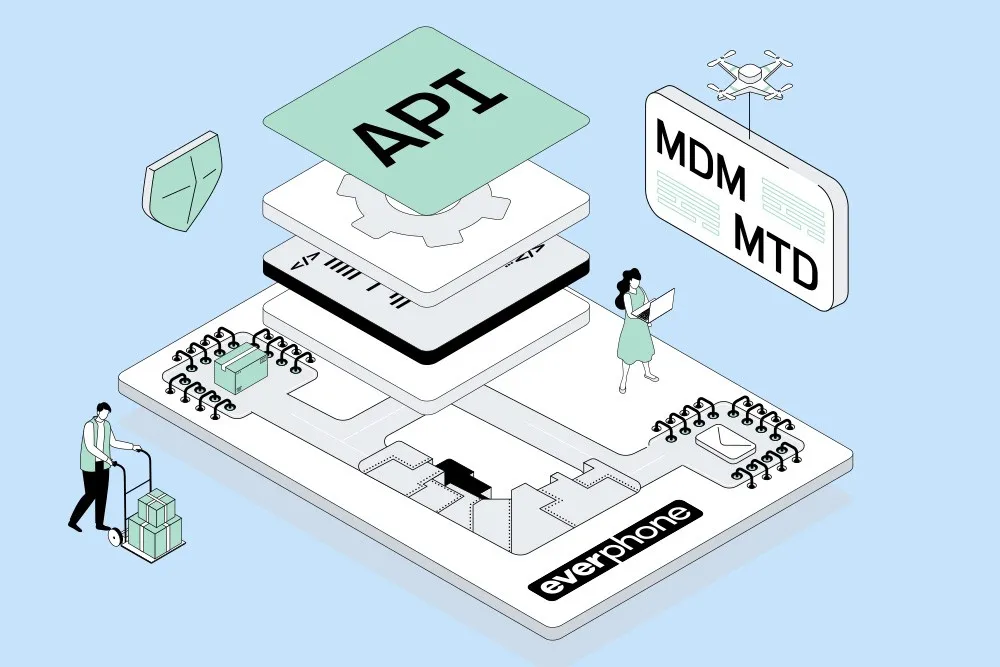
MDM-Lösungen dienen, wie der Name ja bereits suggeriert, vor allem zur Verwaltung (Management) mobiler Endgeräte. Für eine Absicherung gegen mobile Angriffe gibt es hingegen dedizierte Mobile-Threat-Defense-Lösungen (MTD).
MDM solutions, as the name already suggests, are primarily used to manage mobile devices. When it comes to protection against mobile attacks, however, there are dedicated Mobile Threat Defense (MTD) solutions.
MDM is important – but not enough
Mobile Device Management (MDM) is a fundamental tool for configuring, provisioning, and managing company-owned smartphones and tablets.
MDM solutions help enforce security policies, deploy applications, and remotely lock or wipe devices. They form the technical foundation of any mobile device management strategy, but they are not sufficient on their own to provide comprehensive protection.
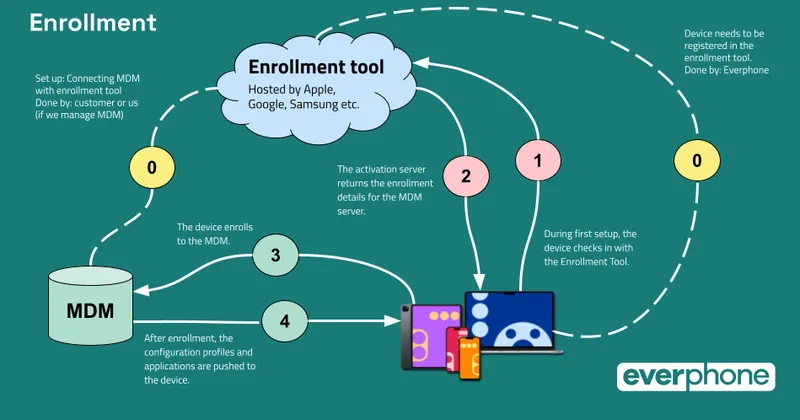
Why an MDM does not provide full protection against mobile attacks
What an MDM does not detect: suspicious network connections, tampered apps, jailbreaks, or zero-day attacks. If a device is compromised, the MDM usually does not notice it – and cannot actively intervene. This is exactly where Mobile Threat Defense comes in.
What makes Mobile Threat Defense special?
Mobile Threat Defense (MTD) complements classic MDM functions with real threat detection. It continuously analyzes the behavior of apps, network connections, and the operating system – locally on the device and in the cloud. This allows attacks to be detected early and automatically mitigated.
Real-time scanning of network connections, apps & OS
Modern MTD solutions scan all relevant data streams in real time. They inspect Wi-Fi and cellular connections, detect insecure or forged certificates, analyze app behavior for anomalies, and monitor system modifications. Even unknown threats can be identified using heuristic methods.
Protection against phishing, man-in-the-middle attacks, jailbreaking
MTD protects against a wide range of modern attack vectors: phishing links delivered via messaging apps, man-in-the-middle attacks on public Wi-Fi networks, manipulated configuration profiles, or jailbreak attempts are among the most common risks. MTD detects such scenarios and actively blocks them.
User alerts and automated responses
When a threat is detected, the MTD solution can respond automatically: users receive an alert, the connection is terminated, or access to corporate resources is temporarily blocked. These real-time responses relieve IT security teams and prevent damage before it occurs.
MDM vs. MTD: the difference
While MDM provides control, MTD delivers active threat protection. MDM manages devices – MTD protects them. Both systems operate on different layers and complement each other perfectly.
Management vs. defense
MDM focuses on policies, configuration, and prevention. MTD steps in when things get serious – with real-time scans and threat analysis. Together, they form a holistic security strategy for mobile devices.
Prevention vs. response
MTD is not meant to replace MDM, but to extend it in a meaningful way. Organizations that already use MDM can achieve significantly higher security standards by adding MTD – without disrupting existing setups.
Use cases: complement, don’t replace
A good example is “Check Point Mobile Security”. The solution analyzes app and network activity directly on the device, detects threats in real time, and is compatible with all common MDM systems. It provides protection not only against malware, but also against phishing, botnet communication, and advanced persistent threats (APTs).
Example: Check Point Mobile Security
MTD solutions use AI-based analytics and cloud signatures to detect threats before damage occurs. They rely on behavior-based detection methods and continuously update their detection mechanisms. This approach is particularly effective when local (on-device) detection is combined with cloud-based analysis.
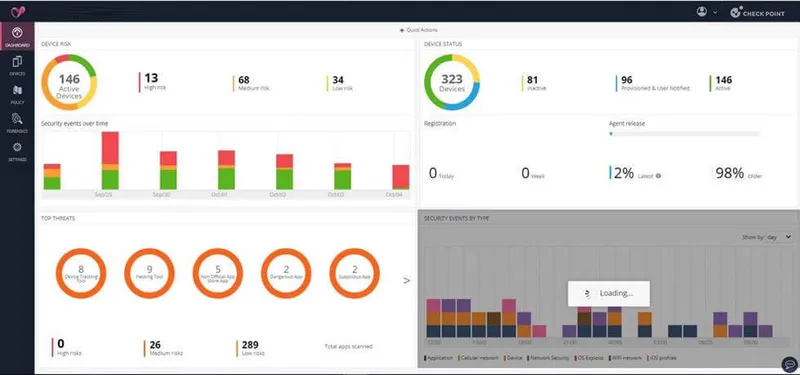
Transparency notice: Check Point is Everphone’s technology partner for securing mobile devices.
How modern MTD solutions work
Most MTD solutions can be directly integrated with existing MDM systems.
This creates a combined security architecture in which MDM is responsible for management and MTD for protection. Both systems exchange information and enable automated responses in critical situations.
Integration with existing MDM systems
By combining MDM and MTD, IT security teams gain significantly more visibility. They can see which devices are at risk, which threats have been detected, and how incidents were handled. This not only simplifies control, but also reporting to management or data protection authorities.
Visibility & control for IT security
Using MDM and MTD together delivers real protection – especially in hybrid and decentralized work environments. Organizations that deploy both significantly reduce their risk and can detect and mitigate security incidents much faster.
Conclusion: combining MDM and MTD delivers real protection
MDM and MTD are not opposites, but two sides of the same coin. Their full potential is only realized when they work together. Anyone looking to secure mobile devices professionally should therefore combine both technologies.
Why MDM and MTD belong together
For IT security leaders, it is advisable to check existing MDM systems for MTD compatibility and develop an integration strategy. Pilot projects with selected device types or locations help gather experience and assess effectiveness.
Recommendations for IT security leaders
Want to learn more about Mobile Threat Defense or test a solution? Get in touch with us – we’ll be happy to advise you on selection, integration, and operation of MTD solutions.